No more retyping: your Factur‑X invoices readable in 1 click.
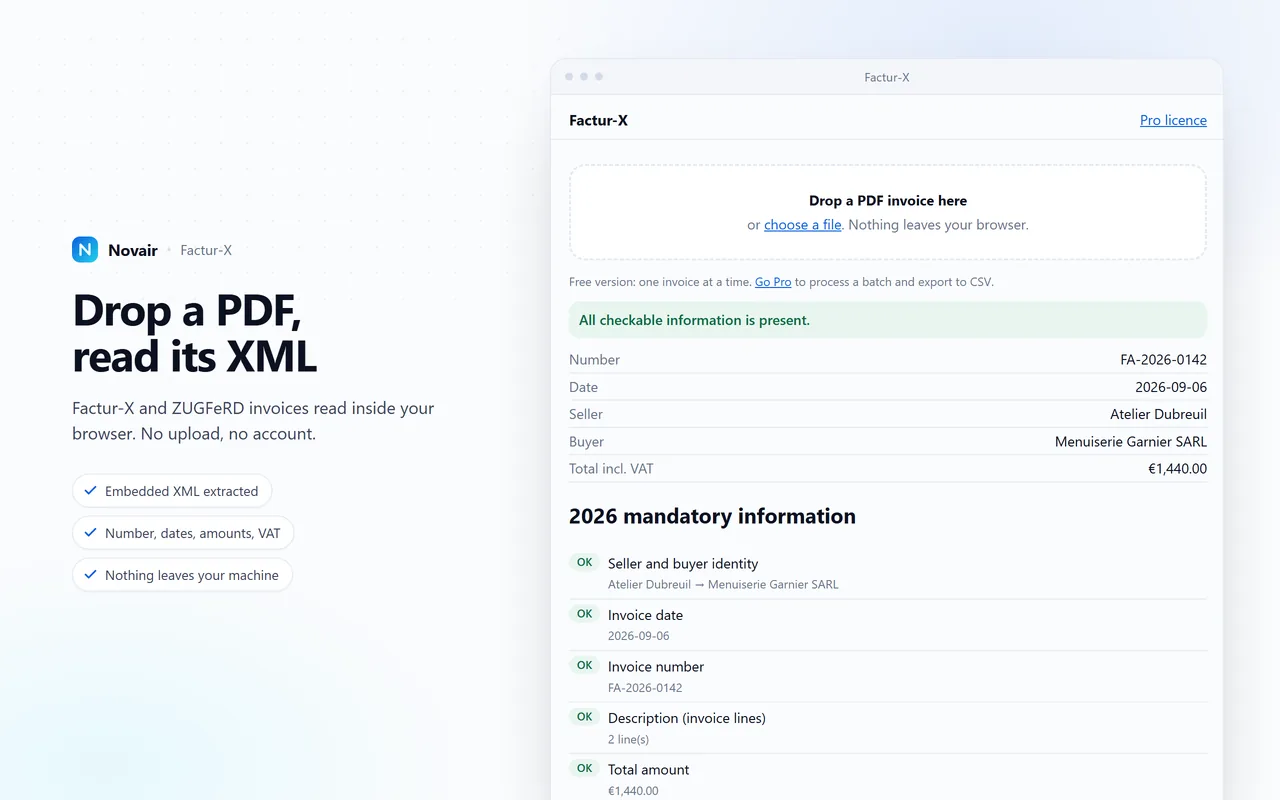
Hybrid e-invoices are PDF files that hide a full invoice as XML inside them, unreadable to the eye — Factur-X in France since 1 September 2026, ZUGFeRD in Germany. The extension opens the file, shows the data in plain text and flags the fields that are missing, on your machine, with nothing uploaded.
- No file uploaded
- No account
- Under 200 KB
How it works
Three steps, no sign-up, no file leaving your computer.
- Open the invoiceDrop the PDF into the extension, or open it straight from your mailbox: the Novair icon lights up as soon as an XML payload is found in the document.
- Read the dataSeller, company ID, invoice number, dates, lines, VAT, totals: the XML is laid out as a readable table next to the PDF.
- Check it, then reuse itMissing mandatory fields are flagged. One click copies the data, or exports it for your accounting software.
What the extension does
A reading and checking tool, not a platform. It does not replace your invoicing software: it saves you the retyping and the back-and-forth.
Embedded XML extraction
Factur-X and ZUGFeRD, MINIMUM through EXTENDED profiles. The raw XML file stays downloadable if you need it.
Mandatory field check
Seller identity and company ID, invoice number, dates, net and VAT amounts, required statements: every gap is listed with its reference.
100% local processing
Everything happens in the tab. The extension requests no network access for your files, so none of them leave.
CSV and Excel export
Extracted data goes out as a spreadsheet ready for bookkeeping, with standard columns and a separator that matches your locale.
Batch processing
Drop in the whole month's folder: every invoice is read and checked, and the report fits on one page.
Fast and light
Under 200 KB installed, an invoice read in less than a second, no remote dependency.
Free, and Pro when you need it
The free version handles one invoice at a time and is enough for most people. Pro is for anyone who receives ten a week.
Free
Published on the stores, with no time limit.
- One invoice at a time
- Full reading of the embedded XML
- Mandatory field check
- Copy the data to the clipboard
- Batch processing
- CSV and Excel export
Pro
One licence key, valid for life on both of your browsers.
- Everything in the free version
- Batch processing of a whole folder
- CSV and Excel export for bookkeeping
- Printable check report
- Updates included
- Works offline once activated
Refunded within 14 days, no conditions and no questions asked. Payment, invoice and VAT handled by Gumroad, merchant of record.
Frequently asked questions
Are my invoices sent anywhere?
No. The PDF is read inside your browser by local JavaScript. The extension does not request network permission for your files: it could not send them even if it wanted to.
Does this extension make me compliant with the 2026 French mandate?
No, and nobody can promise that on your behalf. It lets you read the electronic invoices you receive and flags missing fields; choosing your e-invoicing platform and meeting your reporting obligations remain yours to handle.
What is the difference between the free and Pro versions?
The free version reads and checks one invoice at a time, with no time limit. Pro adds processing of a whole folder, CSV and Excel export, and the printable check report.
How does the licence key work?
After the purchase, Gumroad emails you a key. You paste it once into the extension options: it is verified with Gumroad at that moment, then stored locally. After that, the extension works offline.
On how many machines can I use it?
One licence covers your personal use, or your company's, on your own computers, in Chrome as well as Firefox. We do not count activations.
What happens if the file is not a Factur-X invoice?
The extension tells you and stops there. It recognises Factur-X and ZUGFeRD; a PDF with no embedded XML cannot be read by anything but the human eye.